How to Push a Single Page to Live on WP Engine
By Jon B.· Updated
Short answer
WP Engine can't push a single page. Its Copy Environment tool copies files, all database tables, or selected tables, and copying to production can erase new orders or users. To ship one page, use a page-level sync plugin on both environments, or rebuild the page on production.
WP Engine's Copy Environment is reliable and well documented. It's built for moving whole environments, though, not a single edited page.
Here's what it does, based on WP Engine's own support article, and how to ship one page instead.
What does Copy Environment overwrite?
A Full copy moves all files and all database tables. A Custom copy lets you choose files, all tables, or selected tables. Selected tables overwrite the matching tables on the destination.
File copies are fully destructive, so destination files missing from the source are removed. WP Engine warns that overwriting a production database can erase new orders or users. It backs up the destination before and after the copy, and it recommends a maintenance page during the copy.
Can you push only one page on WP Engine?
No. Selected tables is the smallest database option. Pages live in shared tables such as wp_posts and wp_postmeta, so copying those replaces every post in them.
For WooCommerce, WP Engine's article says to exclude the posts, postmeta, and order item tables to keep orders out of a copy. With High-Performance Order Storage, it lists the wc_orders tables instead. Excluding posts also means your page won't move.
How do you ship one page on WP Engine?
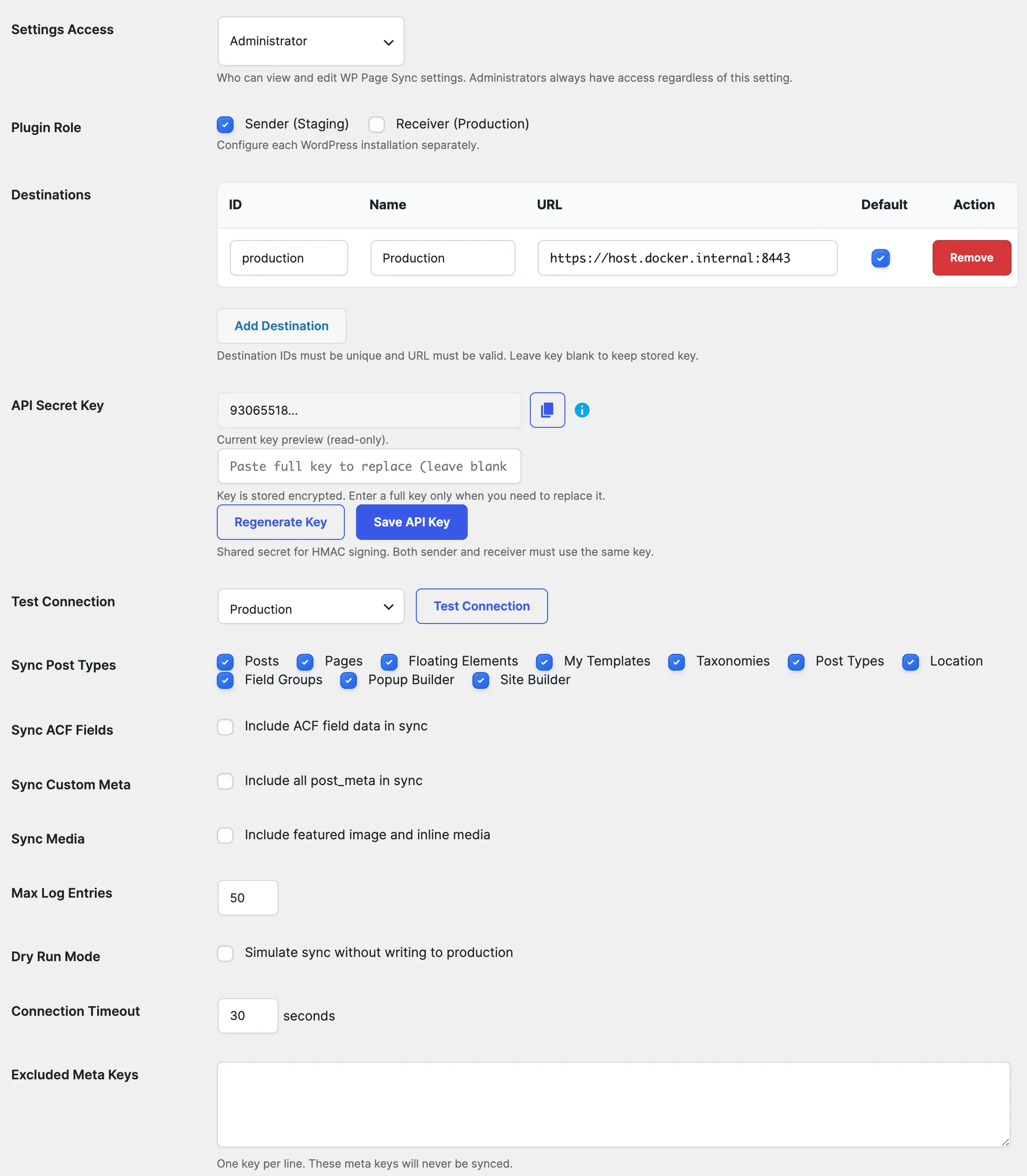
Run a page-level sync plugin on both environments. EZ Page Sync connects your staging and production environments over HTTPS and pushes only the page you choose, with no maintenance page and no table selection.
- 1Install EZ Page Sync on your staging and production environments.
- 2Set staging as Sender and production as Receiver, using the same API secret key.
- 3Run Preview or Dry Run on the page.
- 4Sync the page.
- 5Check the live page, and purge WP Engine's cache if the old version still shows.
When should you still use Copy Environment?
Use it to refresh staging from production, ship theme and plugin file changes, or launch a new build. Page sync moves content, not files.
Guide FAQ
Frequently Asked Questions
Does WP Engine back up before a copy?
Yes. Its support article says the destination is backed up before and after the copy.
Does a WP Engine copy replace my domain in the database?
Yes. WP Engine replaces the source domain with the destination domain in the database.
Does EZ Page Sync need a maintenance page?
No. Only the selected page is updated, so visitors can keep using the site.